Private individuals
You have a friend’s or stranger’s image but no clear permission for editing or public sharing.
Do not upload it for a joke, impersonation, or post; use a licensed stock image or a fictional subject instead.
Trust before trying
If you are asking, “is face ai safe 2022,” the useful answer is not a simple yes or no. Safety depends on the image, the people involved, the service handling it, and what you do with the result.

Most safety mistakes come from treating a creative image tool as if it were either harmless magic or automatic surveillance. The reality sits between those extremes.
A realistic face edit does not prove that the source image was collected lawfully, that the person agreed, or that the output is accurate.
What to do instead
Confirm permission for the source image and label altered media when viewers could mistake it for an authentic record.
A friendly editor cannot tell you how long uploads are retained, whether they are reviewed, or whether they are used to improve a system.
What to do instead
Read the current privacy terms, avoid sensitive images, and remove identifiable details when they are not needed.
Permission to use a photo for one private edit does not automatically cover public posting, advertising, impersonation, or training data.
What to do instead
Get consent that matches the intended use, audience, and duration before creating or sharing the result.
Face tools can produce convincing but incorrect changes, especially with poor lighting, multiple people, unusual angles, or partial faces.
What to do instead
Treat the output as edited media, not evidence for identity, access, health, age, or reputation decisions.
A face AI workflow usually has three separate moments: supplying an image, transforming or analyzing it, and deciding what happens to the result. Each moment has its own risk.
Ask who appears in the image, who owns it, whether permission exists, and whether the file contains background details or metadata you should remove.
Identify whether the tool is swapping, generating, comparing, recognizing, or rating a face. These are different capabilities with different consequences.
Review the output for misleading details, keep it private when appropriate, and disclose meaningful edits before publishing or sending it onward.
A before-and-after comparison can show how convincing an edit looks, but visual quality is not a privacy assessment. The image pair below is illustrative, not proof of consent, identity, or safe retention.
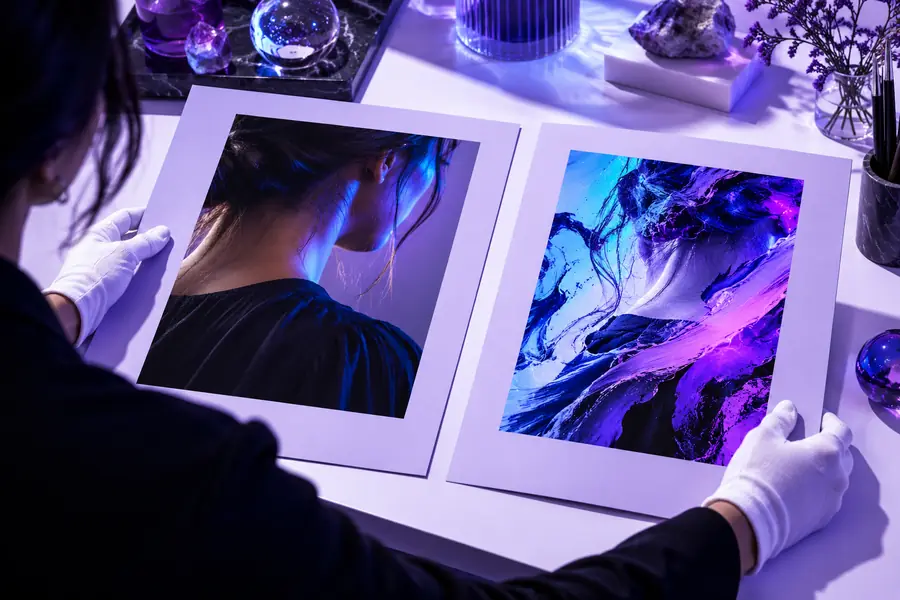

A realistic result can still be unauthorized or misleading.
Source mediaEdited resultThe safest choice is sometimes to stop before uploading anything. Consider a different method when the stakes are high, the permission is unclear, or the result could harm someone.
You have a friend’s or stranger’s image but no clear permission for editing or public sharing.
Do not upload it for a joke, impersonation, or post; use a licensed stock image or a fictional subject instead.
You are considering face output as a signal for trustworthiness, suitability, or character.
Do not use a creative or subjective face result as a decision shortcut; rely on documented, job-relevant criteria.
A face result would determine entry, eligibility, age, identity, or access to a service.
Do not substitute an informal face tool for a validated process with appropriate notice, review, and appeal options.
The image involves a minor, intimate content, health information, harassment, or a person at risk of being identified.
Do not upload it unless there is a clear lawful purpose and suitable protection; choose a non-identifying workflow.
Before you hand over an image, decide what permission you have, what the tool needs, and who may see the result. If any answer is unclear, pause and choose a less identifying source.
The year does not decide whether a face tool is safe. Risk depends on the service, the image, consent, retention terms, and how the result will be used, so avoid uploads when those conditions are unclear.
It may, depending on the service’s current privacy terms and technical setup. Check retention, deletion, review, and model-training language before uploading, and do not assume that closing the editor deletes the original file.
Only when you have permission appropriate to the intended edit and audience. Permission for a private experiment may not cover public posting, commercial use, impersonation, or sharing a result that could embarrass or mislead the person.
A creative face result should not be treated as proof of identity, age, access eligibility, or character. Lighting, image quality, editing artifacts, and model errors can all produce a convincing but incorrect result.
Use an image you own or have clear permission to use, remove unnecessary personal details, and review the service’s data practices first. Keep the output private until you have checked for misleading changes and decided whether disclosure is needed.