Photo editors
You have a portrait and a destination still image with similar head angles.
Use face swap video ai free when the same concept needs motion after the still image is approved.
Photo variant
A face swap photoai free workflow starts with two compatible images: one supplies the face and the other supplies the scene. This page helps you understand the handoff, review the result, and choose the right next variant.
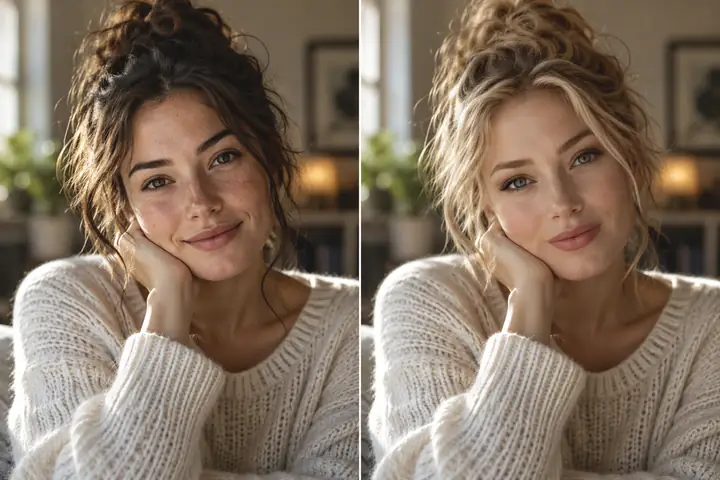
Before and after
The source face is transferred into a destination photo while the surrounding scene remains the visual anchor. Compare the two sides to see whether identity, pose, lighting, and edges still look coherent.

Source photo
Drag the divider to inspect facial edges, expression, and scene continuity.
Swapped photo
A to B
A convincing result depends less on a single magic setting than on how well the two photos agree. Use this comparison as a practical check before sending an image into the workflow.
| Source face | Destination photo | |
|---|---|---|
| Primary role | Supplies the facial identity and expression | Supplies the scene, pose, and composition |
| Best framing | Face visible, reasonably centered, minimal obstruction | Head position and angle close to the source |
| Lighting | Even light with visible facial features | Light direction that can support the inserted face |
| Background | Usually less important than the face | Preserved as the setting for the final image |
| Common risk | Blur, sunglasses, hair across key features | Extreme angle, motion blur, or crowded foreground |
| Review priority | Eyes, mouth, skin boundaries, and expression | Neck edge, hairline, shadows, and overall scale |
| Useful outcome | A face that remains recognizable and natural | A scene that still looks visually consistent |
Choose the route
Start with the input and output you actually need. These adjacent workflows help you move from a single photo to motion, generation, or a higher-definition result without mixing their requirements.
You have a portrait and a destination still image with similar head angles.
Use face swap video ai free when the same concept needs motion after the still image is approved.
You want a new face concept based on an existing reference photo.
The ai face generator from photo route is better suited to creating a fresh face direction from a reference.
Your approved still should become a moving scene or short visual sequence.
Choose ai face generator from photo to video when the desired output is motion rather than another still.
The image looks correct conceptually but needs a sharper delivery target.
Compare the swap-face-ai-video-hd workflow when the next deliverable is video with a higher-definition focus.
Simple workflow
Keep the process deliberate: prepare the inputs, make the edit, then inspect the result at full size before sharing it.
Choose a clear source face and a destination image with a compatible angle, scale, and lighting direction.
State which face should move, which scene should remain, and any visual qualities that must be preserved.
Check eyes, teeth, hairline, skin tone, neck edges, shadows, and the relationship between face size and body pose.
Batch planner
Use the slider to map a small set of source photos to an equal set of destination photos. The result is a planning count, not a promise about processing time or output quality.
images
images
pairs
Example outputs
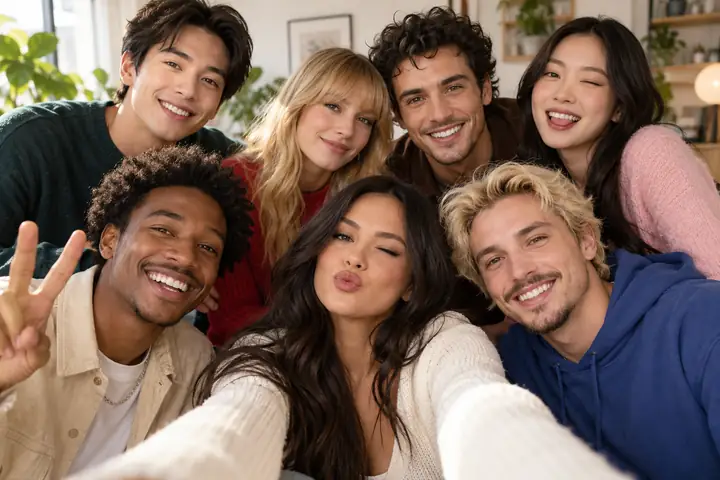
These examples are useful as review prompts: look beyond the face itself and check how well the edit belongs in the surrounding image.
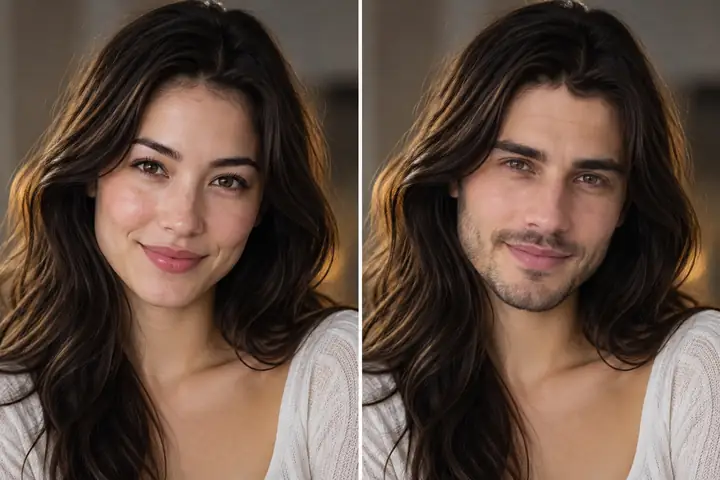 Photo swap
 Multiple faces
 Pose check
Review checklist
A clean photo edit is easier to assess when the input relationship stays explicit from preparation through final review.
Ready to test
Bring a clear source face and a suitable destination photo into the workflow, then judge the output at full size. Start with a simple composition so you can see exactly what improves and what needs another pass.
Variant FAQ
It describes a photo-based workflow in which a face from one image is placed into another image. The phrase does not by itself guarantee a particular editor, output quality, file limit, or access policy, so review the tool and result carefully.
Use a clear source face with visible eyes and a destination photo where the head angle, scale, and lighting are reasonably compatible. Heavy blur, strong occlusion, extreme angles, and crowded foregrounds make visual review more important.
Yes, a group image can be the destination, but each changed face should be checked separately. Pay attention to scale, facial direction, overlapping hair, shadows, and whether the edited face belongs naturally in the group.
Inspect the image at full size and compare the eyes, mouth, hairline, skin boundary, neck edge, and shadow direction. Then zoom out and check whether the face scale and expression fit the body and the surrounding scene.
No. A photo workflow produces or edits a still image, while a video workflow must remain coherent across moving frames. If the intended result is motion, use a video-specific variant rather than judging a still workflow alone.